What Is a Smart Plug (2026): The Complete Guide to How It Works
A smart plug turns any ordinary appliance into a remote-controlled one. Learn how it works, setup steps, what to plug in, and important safety tips.
What Is a Smart Plug (2026): The Complete Guide to How It Works

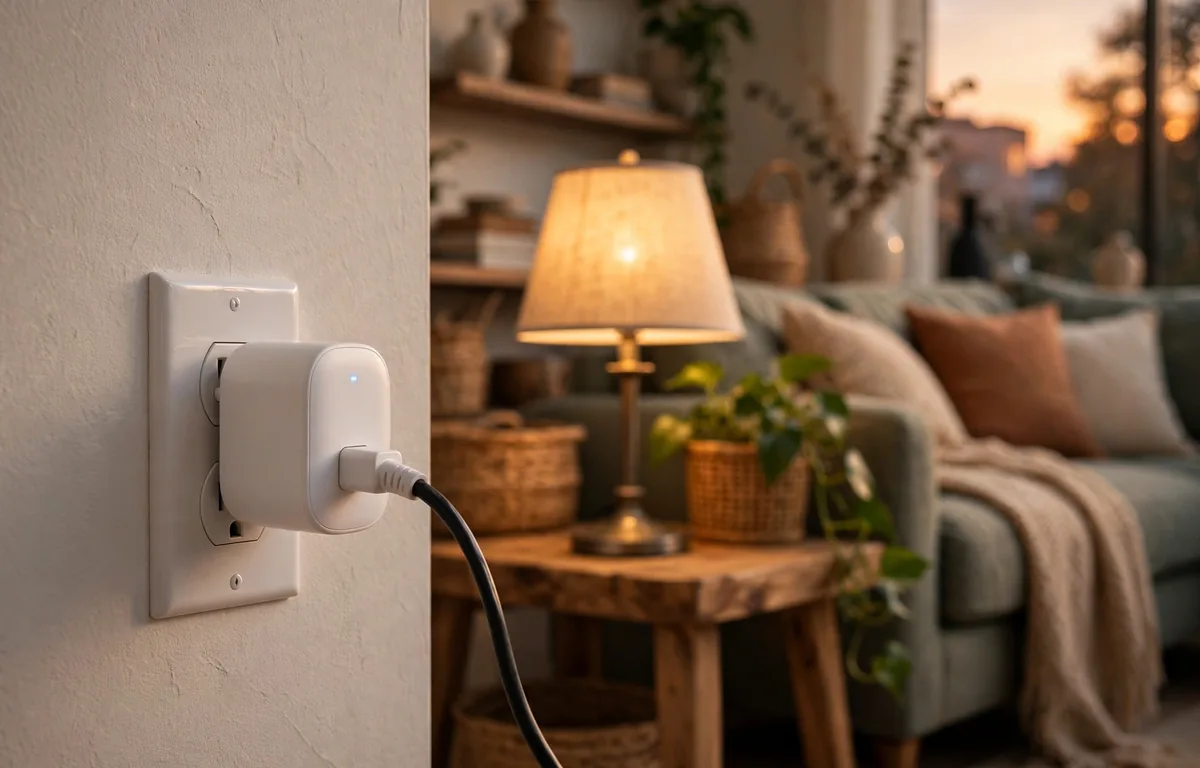
What is a smart plug? The short version: a smart plug is a small adapter that sits between your wall outlet and any ordinary appliance. Plug it in, connect it to your Wi-Fi, and you can turn that appliance on or off from your phone, on a schedule, or with a voice command — no rewiring, no electrician, no new “smart” appliance required. It costs about as much as a pizza, and it’s the easiest first step into home automation.
What Is a Smart Plug, Exactly?
A smart plug is a compact device that plugs into a standard wall socket. You then plug your lamp, fan, coffee maker, or any other ordinary appliance into the smart plug. The plug can control whether electricity flows to the appliance — remotely, on a schedule, or by voice. Think of it as a remotely controlled on/off switch sitting between the wall and your device.
The appliance itself never changes. The smart plug does all the work. A “dumb” lamp from 1998 becomes a lamp you can turn off from bed, turn on from the office, or schedule to click on at sunset. That single idea — upgrading the outlet instead of the appliance — is why smart plugs are usually recommended as the first smart home purchase: they deliver most of the daily convenience of a smart home for a fraction of the cost.
Most smart plugs look like a slightly chunky outlet adapter, roughly the size of a deck of cards. They draw a tiny bit of power themselves (typically under 2 watts) and live quietly behind furniture until you need them.
How Does a Smart Plug Work?
The short version: a tiny electronic switch (a relay) inside the plug opens and closes the electrical circuit. Your phone tells the plug what to do through your home Wi-Fi.
Here’s the chain of events when you tap “off” in the app:
- Your phone sends the command through the internet to the plug maker’s cloud server.
- The server relays the instruction to the plug over your home Wi-Fi.
- The plug’s internal relay opens, cutting power to whatever’s plugged in.
- The app confirms the new status on your screen, usually within a second or two.
The relay doing the switching is either electromechanical or solid-state, and it’s rated for a maximum current — typically up to 15 amps. That rating matters more than most people realize: plugging a device that draws more current than the relay can handle creates a genuine fire risk. A lamp is trivial. A space heater at full blast is right at the edge. We’ll come back to this.
Step 1: Understand the Connection Types
Not all smart plugs talk to your home the same way. The three common options:
| Type | How it connects | Hub needed? | Notes |
|---|---|---|---|
| Wi-Fi | Direct to your router | No | Most common, cheapest; almost all are 2.4 GHz only |
| Zigbee / Z-Wave | Mesh network via hub | Yes | Doesn’t crowd your Wi-Fi; great for many devices |
| Thread / Matter | New standard, low latency | Border router (often built into speakers/TVs) | Fast and reliable; growing selection |
Wi-Fi plugs are what most people buy first. Setup is simple — they join your home network directly — and there’s no extra hardware to purchase. The catch: most only support 2.4 GHz Wi-Fi, not 5 GHz. If your router broadcasts both bands under the same network name, your phone may connect on 5 GHz during setup and the plug will fail to join. The fix is to temporarily separate the bands in your router settings (or stand far enough from the router that your phone drops to 2.4 GHz).
Zigbee and Z-Wave plugs communicate through a hub, which means they don’t add load to your Wi-Fi network. If you’re building out a large smart home with dozens of devices, these scale better. The trade-off is the hub purchase and a slightly more involved setup.
Thread and Matter are the newer standards worth knowing about. Thread is fast, doesn’t depend on hubs, and avoids burdening Wi-Fi; Matter lets devices work across ecosystems (Alexa, Google Home, Apple Home) instead of locking you into one brand’s app. The selection of Matter/Thread plugs is growing quickly, and if you’re buying today with an eye on the next five years, a Matter-compatible plug is the safest bet.
Step 2: Set Up Your Smart Plug
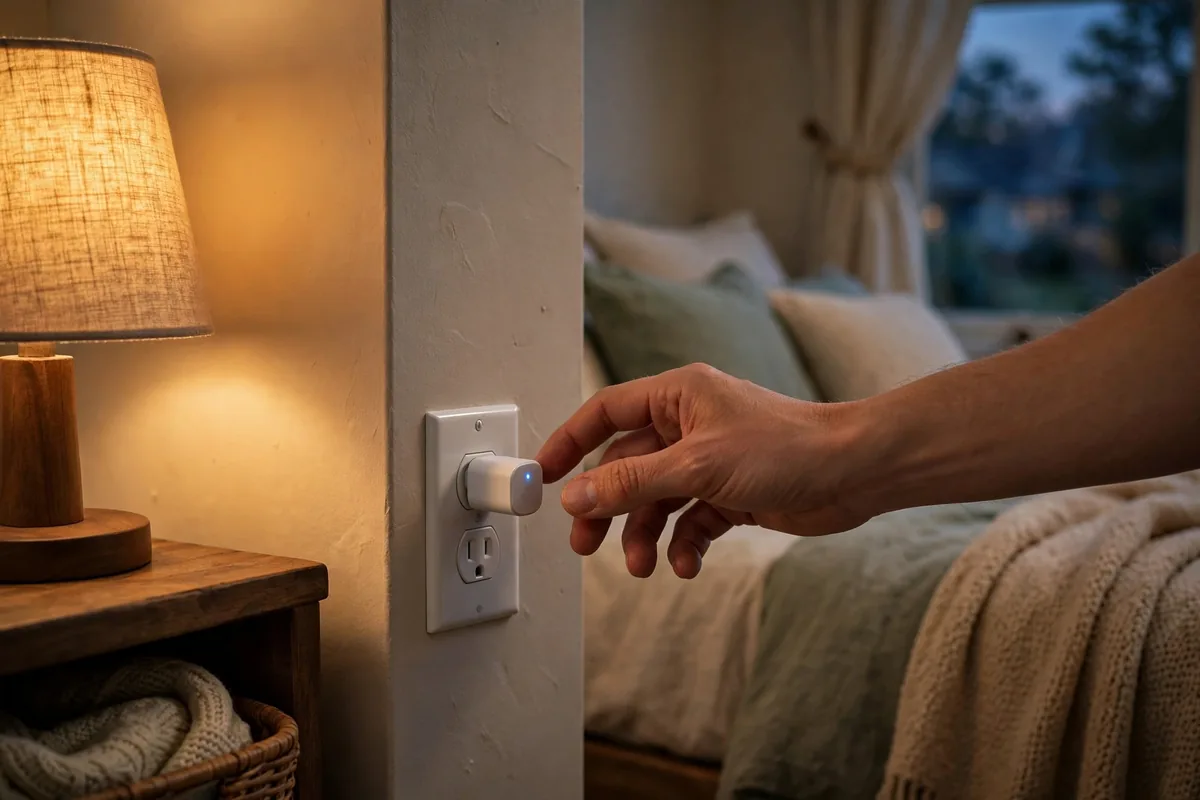
The short version: plug it in, open the app, join your Wi-Fi, name it, done. Ten minutes, tops.
Step 1: Plug it into the wall
Push the smart plug firmly into the outlet. Most plugs have a small LED that blinks when they’re in pairing mode — check the quick-start card for the exact pattern. If it doesn’t blink, there’s usually a button to hold for a few seconds.
Step 2: Download the manufacturer’s app
Every major smart plug brand has a free companion app (check the box or the quick-start card for the name). Install it and create an account if the app asks. This is also where schedules, timers, and energy monitoring live, so the app choice matters more than people expect.
Step 3: Connect it to your Wi-Fi
The app will walk you through joining your home network. During this step the plug temporarily broadcasts its own Wi-Fi signal; your phone connects to that, you enter your home network credentials, and the plug hops onto your real network. Remember the 2.4 GHz rule from Step 1 — this is the step where most setups fail, and it’s almost always the band mismatch.
Step 4: Name it something you’ll actually say
“Living Room Lamp” beats “TP-Link Plug 3.” You’ll be saying this name to voice assistants and tapping it in the app daily, so name it for the appliance, not the plug. If you have several, keep a consistent pattern: “Bedroom Fan,” “Kitchen Coffee Maker,” “Porch Lights.”
Step 5: Link your voice assistant (optional)
Most plugs integrate with Amazon Alexa, Google Assistant, or Apple HomeKit (check the box — not every plug supports all three). Enable the manufacturer’s skill in the Alexa/Google Home app, discover devices, and you’re done. “Alexa, turn off the living room lamp” is a small thing until you’ve done it from bed with a sleeping kid in your arms.
Step 3: Know What You Can (and Can’t) Plug In
The short version: anything with a simple on/off switch works beautifully. Anything with electronic buttons, compressors, or heating elements needs care — or should be avoided.
What works great
- Lamps — the classic use. Keep the lamp’s own switch on; the plug does the switching.
- Fans — set a timer so the bedroom fan runs only while you fall asleep.
- Coffee makers (simple ones) — the kind with a mechanical on/off switch that starts brewing the moment power arrives. Wake up to coffee.
- String lights and holiday decorations — schedule them for sunset to midnight without going outside in the cold.
- Phone and tablet chargers — cut power overnight so devices aren’t trickle-charging for eight hours.
- Aquarium lights and pumps — consistent light schedules keep fish healthier than your memory does.
- Space heaters (with caution) — see the warnings below.
What doesn’t work
- Appliances with electronic/solid-state buttons. If your coffee maker needs you to press a touchscreen button after power comes on, a smart plug can’t press it for you. The device must start working the instant it gets power — a knob, a flip switch, or a locking mechanical button.
- High-voltage outlets. Smart plugs are built for standard wall outlets, not the 240-volt circuits that feed ovens, dryers, and EV chargers.
- Anything over the amperage rating. Most plugs top out at 15 amps. A space heater on high can draw close to that. Check the appliance’s label, check the plug’s rating, and never exceed it.
- Medical devices, fridges, and anything safety-critical. Don’t put a smart plug on anything where an accidental power cut could cause harm or food spoilage.
The space heater warning (read this one)
Space heaters are the most common smart-plug mistake. They’re high-draw devices, they’re a leading cause of home heating fires, and putting one on a remote-controlled plug adds a risk: the heater turning on when nobody’s home, or tipping over while powered. If you do it, use a plug rated for the full draw, enable the heater’s own tip-over shutoff, and never schedule a heater to run unattended. Honestly? For heaters, a plug with energy monitoring that you actively watch is far safer than a “set and forget” schedule.
Step 4: Put It to Work — Practical Uses
Once the plug is set up, the real fun is automation. The most popular uses:
- Sunset lighting. Schedule lamps to turn on at sunset and off at bedtime. The house looks lived-in every evening, including when you’re traveling.
- The “someone’s home” routine. Cycle lights on and off at varied times while you’re away. It’s the modern version of leaving a lamp on — cheaper and more convincing.
- Morning coffee. A simple drip machine on a schedule means coffee starts brewing at 6:55 without you touching anything.
- Energy vampires, slain. TVs, game consoles, and entertainment setups sip power in standby mode all day. A smart plug cuts them completely on a schedule — say, midnight to 6 a.m. — and many owners are surprised how much standby draw adds up.
- Phone charging discipline. Charge your phone on a plug that cuts power after two hours instead of trickle-charging all night.
- Holiday lights without the ladder dance. Outdoor-rated smart plugs (make sure it says outdoor — indoor plugs in weather are a fire risk) handle the whole display on one schedule.
- Energy monitoring. Plugs with monitoring show exactly how much power passes through. A 60-watt bulb left on for two hours shows 120 watt-hours; the app multiplies by your electricity rate to show the cost. It’s genuinely eye-opening the first time you see what the old space heater actually costs per month.
Step 5: Choose the Right Smart Plug

The short version: buy for your ecosystem first, features second, price third.
| If you… | Look for… |
|---|---|
| Just want one plug for a lamp | A basic Wi-Fi plug from a known brand; simplest setup |
| Use Alexa / Google / HomeKit heavily | Certified compatibility with your assistant — check the box |
| Want future-proofing | Matter / Thread support |
| Have 10+ smart devices already | Zigbee or Z-Wave plugs + hub, to protect your Wi-Fi |
| Want to cut your power bill | Energy monitoring built in |
| Need outdoor use | Explicitly outdoor-rated plug — never improvise |
| Are a renter | Wi-Fi plugs — no wiring, no landlord conversation needed |
A few buying cautions worth the two minutes:
- Stick to known brands. A smart plug sits between your wall and your appliances and connects to the internet. Bargain-bin plugs from unknown sellers have a documented history of shoddy relays and questionable firmware. This is not the category to save four dollars on.
- Check the app reviews, not just the plug reviews. The hardware is simple; the app is where you’ll live. A plug with a 2-star app will annoy you daily.
- Size matters. Some plugs are wide enough to block the second outlet in a duplex receptacle. Check the dimensions if your outlets are tight — or look for “mini” models.
- Two-packs are usually the sweet spot. You’ll use one, realize what else it could do, and immediately want a second. Buying the pair upfront is cheaper.
Do Smart Plugs Save Electricity?
Honest answer: a little, in the right situations — but don’t buy one expecting it to pay for your vacation.
Smart plugs save energy in two specific ways. First, they kill standby power: the entertainment center, the printer, the game console that sip watts around the clock. Cutting those on a schedule genuinely reduces consumption. Second, energy-monitoring plugs show you where power goes, and visibility changes behavior — people who see the heater’s real monthly cost use it less.
What they don’t do is make an appliance more efficient. A 1,500-watt heater draws 1,500 watts whether it’s on a smart plug or a wall switch. And the plug itself draws a watt or two continuously, which slightly offsets the savings. The real value of a smart plug is convenience and automation; the energy savings are a pleasant side effect.
Are Smart Plugs Safe?
Yes — when you respect the ratings. A certified plug (look for UL or ETL listing in the US) from a reputable brand, used within its amperage rating, on an appropriate appliance, is as safe as the outlet it’s plugged into. The risk cases are all user error: overloading the relay, using an indoor plug outdoors, putting it on a heater and scheduling it while you’re away, or buying a no-name plug with a fake certification mark.
One more safety note for the security-minded: smart plugs connect to the internet, which means they’re part of your home network’s attack surface. Keep the manufacturer’s app updated, use a strong unique password on the account, and put IoT devices on your router’s guest network if it offers one. For more on everyday home technology, see The Modern Post.
FAQs
What is a smart plug used for?
Turning ordinary appliances on and off remotely, on schedules, or by voice. The most common uses are lamps, fans, simple coffee makers, holiday lights, and cutting standby power to entertainment setups.
Do smart plugs need Wi-Fi?
Most do — Wi-Fi plugs connect directly to your home network. Zigbee and Z-Wave plugs use a hub instead, and Thread-based plugs use a border router. Either way, they need some path to your phone or home network to be “smart.”
Can I use a smart plug with Alexa?
Yes, most major smart plugs integrate with Amazon Alexa, Google Assistant, and/or Apple HomeKit. Check the packaging for your specific assistant — not every plug supports all three.
Do smart plugs work with 5 GHz Wi-Fi?
Usually not. The vast majority of Wi-Fi smart plugs support only 2.4 GHz. During setup, make sure your phone is on the 2.4 GHz band (or temporarily separate the bands in your router settings).
Can a smart plug turn on my coffee maker in the morning?
Only if the coffee maker has a mechanical on/off switch that starts brewing the moment power arrives. Machines with electronic buttons or touchscreens need a manual press after power-on, so a smart plug can’t start them.
Are smart plugs a fire risk?
A certified plug used within its amperage rating is safe. The risk comes from overloading (plugging in a device that draws more than the rated amps), using indoor plugs outdoors, or buying uncertified cheap plugs. Always check both the plug’s rating and the appliance’s draw.
Are smart plugs worth it?
For most people, yes — they’re the cheapest meaningful smart home upgrade. One or two plugs on lamps and a schedule deliver daily convenience for the price of a takeout dinner. Just don’t expect them to slash your power bill on their own.
Read Also: VIN Number Lookup (2026): Complete Guide to Decoding Your Vehicle’s VIN
Related Stories

Rivet: Types, Uses, and How to Choose the Right One
From solid rivets in aircraft and bridges to pop rivets in DIY projects, here is how rivets work,…

Moldavite Crystal Meaning and Real vs Fake Guide
What moldavite is, where it comes from, what collectors mean by its energy, and the practical checks that…

Couples Therapy What to Expect First Session (2026 Guide)
A calm, honest walkthrough of the first couples therapy session — the structure, the questions, the ground rules,…
3 responses